MobileQubes
Phone battery running low?
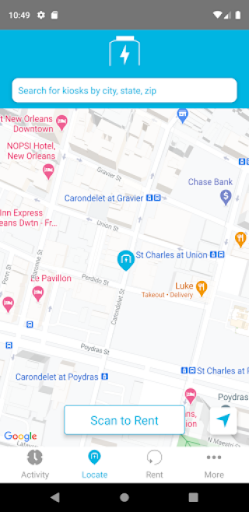
Rent a Qube at any of our kiosks and plug it into your phone or tablet to charge.
Keep using your device on the move, even while it’s charging.
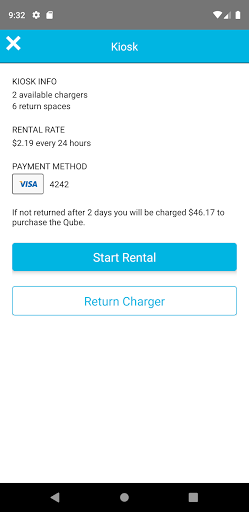
When you’re ready, simply return the Qube to any kiosk.
That’s it.
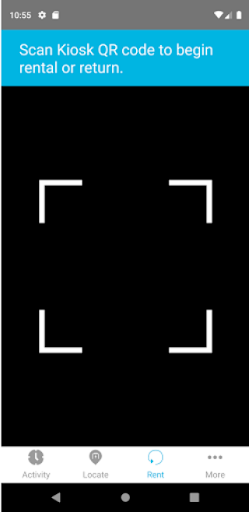
No cords attached.How It Works* Scan QR code at any MobileQubes Blue kiosk using the MobileQubes app* Plug in the charger using the provided cable and press the blue power button* Return the charger to any MobileQubes Blue kiosk by inserting it into an open slot
Rent a Qube at any of our kiosks and plug it into your phone or tablet to charge.
Keep using your device on the move, even while it’s charging.
When you’re ready, simply return the Qube to any kiosk.
That’s it.
No cords attached.How It Works* Scan QR code at any MobileQubes Blue kiosk using the MobileQubes app* Plug in the charger using the provided cable and press the blue power button* Return the charger to any MobileQubes Blue kiosk by inserting it into an open slot
Features
🏠
Smart Home
Control and monitor your home with smart features.
Screenshots
See MobileQubes in Action

Get the App Today

Available for Android 8.0 and above
Ask AI about this app
Get instant answers about features, tips and more from popular AI assistants.